TL;DR
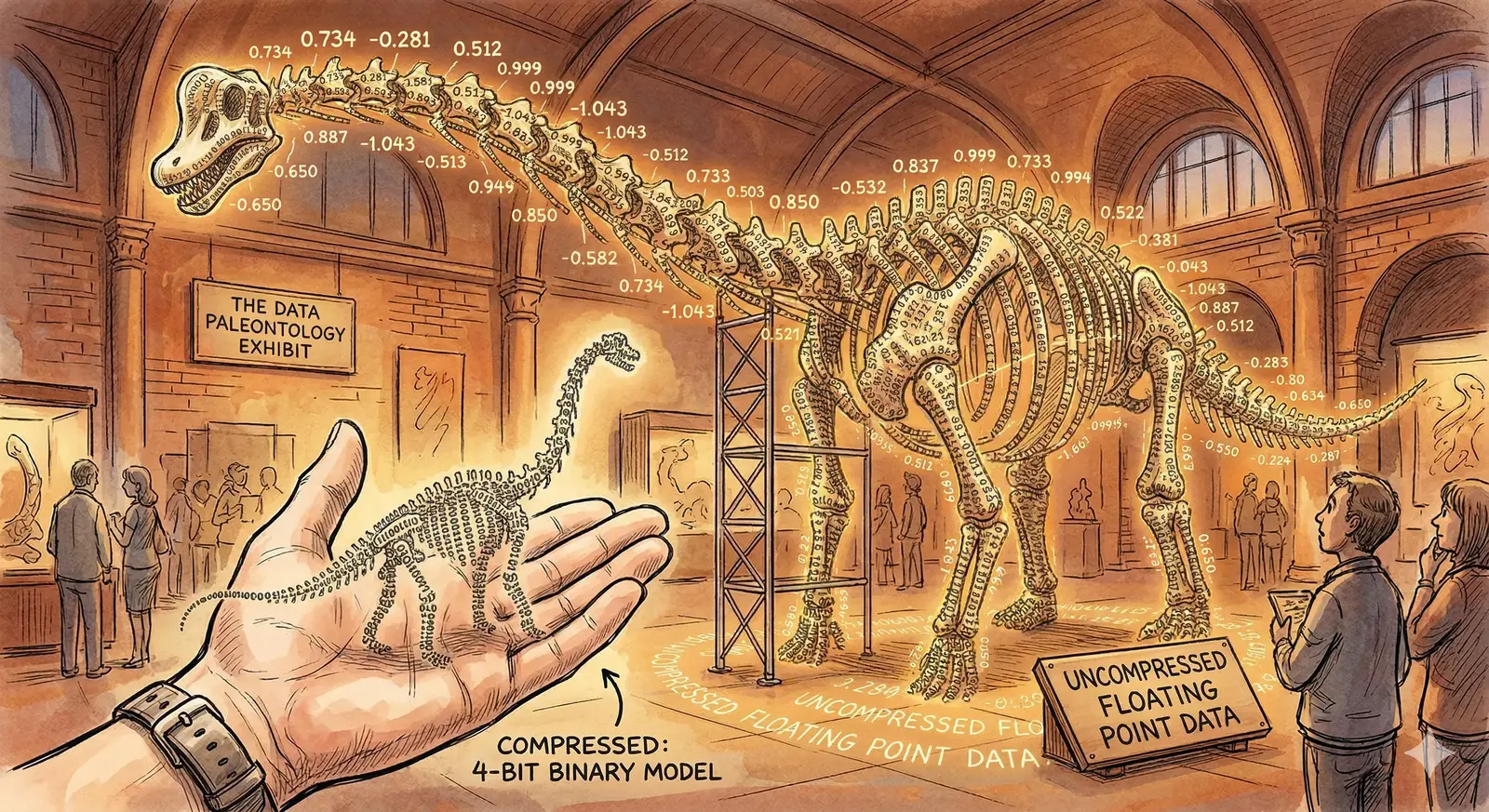
TurboQuant compresses the KV cache in large language models by rotating vectors, snapping values to a small codebook, and packing indices into compact bytes. On Gemma 3 (1B parameters) with 128K context, the KV cache drops from 2.25 GB to 0.58 GB, a 3.9x reduction, with under 0.4% reconstruction error at 4-bit precision. No retraining needed.
If you've run a large language model locally, you've probably hit the wall: the model weights load fine, but as the conversation gets longer, the KV cache (the memory storing every token's key and value vectors for attention) quietly balloons until it crashes your session.
TurboQuant, from a 2025 paper by Ashkboos et al., fixes this with a three-step trick: rotate, snap, pack. No retraining. No architecture changes. Just linear algebra applied at the right moment.
The Biryani Analogy
Imagine a busy biryani joint in Hyderabad where the waiter writes down every order in full:
"Table 4 wants one chicken dum biryani with extra masala, no mirchi, double raita, one mutton biryani regular spice with salan on the side, and two Thumbs Up."
That's about 160 characters. Now imagine the kitchen invents a shorthand where every dish, modifier, and drink maps to a short code:
"T4: CB-DM +XM -MR +2R | MB-RS +SL | 2TU"
About 42 characters. Same order, 3.8x less paper. The kitchen decodes it perfectly because both sides share the same codebook.
TurboQuant does the same thing to the numbers inside a language model's memory. Each attention vector is a "full sentence" of floating-point values. TurboQuant encodes it into a compact shorthand that the model can decode on the fly.
Why the KV Cache Is the Bottleneck
Every transformer layer stores two vectors per token: a key and a value. These let the model "look back" at previous tokens during attention. As context length grows, so does the cache. Linearly.
| Context Length | KV Cache (float16) | KV Cache (TurboQuant 4-bit) | Savings |
|---|---|---|---|
| 8K tokens | 0.14 GB | 0.04 GB | 3.9x |
| 32K tokens | 0.56 GB | 0.15 GB | 3.9x |
| 128K tokens | 2.25 GB | 0.58 GB | 3.9x |
| 256K tokens | 4.50 GB | 1.16 GB | 3.9x |
For a model like Gemma 3 (1B parameters), the weights take 10.25 GB regardless of context length. But the KV cache at 128K tokens adds another 2.25 GB on top. TurboQuant cuts that cache to 0.58 GB. That's the difference between fitting on a single consumer GPU and not.
The Trick: Spin, Snap, Pack
TurboQuant compresses vectors in three operations, none of which require model changes. Let's walk through each step with a concrete example. Take a 4-dimensional vector from the KV cache:
Original vector: [1.2, -0.8, 0.5, -1.1]
Step 1: Measure the Norm and Normalize
First, calculate the vector's magnitude (its L2 norm):
norm = sqrt(1.2² + 0.8² + 0.5² + 1.1²)
norm = sqrt(1.44 + 0.64 + 0.25 + 1.21) = sqrt(3.54) ≈ 1.8815
Store this norm as a single float16 value (2 bytes). Then divide each element by the norm to get a unit vector:
normalized = [0.6378, -0.4252, 0.2658, -0.5847]
Now every value sits between -1 and 1. This bounded range is what makes quantization work well.
Step 2: Spin (Random Rotation)
This is the core idea behind TurboQuant. Before quantizing, apply a random rotation matrix to the normalized vector. The matrix is generated from a deterministic seed. Both encoder and decoder use the same seed, so no extra storage is needed.
Why rotate? Quantization error depends on how values are distributed. Raw KV vectors often have outliers, a few dimensions with much larger magnitudes than the rest. Rotation spreads the information evenly across all dimensions, making every element roughly the same size. The quantization grid then works equally well for every value.
rotated = R × normalized
rotated ≈ [0.3921, -0.5103, 0.4847, -0.3182]
Notice how the values are now more uniform in magnitude. No outliers dominating the quantization.
Step 3: Snap to Grid
With 2-bit quantization, we have 4 possible levels (2² = 4). TurboQuant uses the Lloyd-Max algorithm to find the optimal placement of these levels for a Gaussian distribution, which is what we expect after rotation.
2-bit codebook: [-0.9816, -0.4528, 0.4528, 0.9816]
indices: [ 0, 1, 2, 3 ]
Each rotated value snaps to the nearest codebook level:
0.3921 → index 2 (codebook: 0.4528)
-0.5103 → index 1 (codebook: -0.4528)
0.4847 → index 2 (codebook: 0.4528)
-0.3182 → index 1 (codebook: -0.4528)
Step 4: Pack
Four 2-bit indices [2, 1, 2, 1] pack into a single byte: 10 01 10 01 = 0x99.
The entire 4-element vector is now stored as 1 byte + 2 bytes (norm) = 3 bytes, down from 8 bytes in float16. At 4-bit precision (16 codebook levels), the error drops to 0.4% with slightly more storage.
Decompression: Reversing the Process
Unpacking is the exact reverse, and just as fast. The decoder:
- Unpacks the byte into indices [2, 1, 2, 1].
- Looks up the codebook to recover the quantized values [0.4528, -0.4528, 0.4528, -0.4528].
- Un-rotates by multiplying with the rotation matrix transpose (RT). Since R is orthogonal, RT = R-1, so no matrix inversion is needed.
- Scales by the stored norm (1.8815) to recover the original magnitude.
| Dimension | Original | Reconstructed (2-bit) | Error |
|---|---|---|---|
| x₁ | 1.2000 | 1.2138 | +1.15% |
| x₂ | -0.8000 | -0.8214 | +2.68% |
| x₃ | 0.5000 | 0.5046 | +0.92% |
| x₄ | -1.1000 | -1.0839 | -1.46% |
At 2-bit precision, the overall relative MSE is about 1.7%. At 4-bit, it drops to 0.4%, well within the noise floor of most LLM tasks.
Why Rotation Is the Secret Ingredient
Without rotation, quantization hits outlier dimensions disproportionately hard. In a typical KV vector, a handful of dimensions carry much larger values than the rest. A fixed quantization grid wastes most of its levels on the empty middle while butchering the outliers.
Rotation redistributes the energy uniformly. After applying a random orthogonal matrix, the values follow a near-Gaussian distribution, which is exactly what the Lloyd-Max codebook is optimized for. Every dimension gets quantized with roughly equal fidelity.
Key Insight
The rotation matrix is generated from a fixed seed and never changes. Both compression and decompression use the same matrix, so there's zero storage overhead for the rotation itself. The only per-vector overhead is the 2-byte norm.
Real-World Numbers: Gemma 3 (1B Parameters)
On Gemma 3 E2B (5.1B total parameters) at 128K context, TurboQuant delivers a consistent 3.9x KV cache compression. Here's the memory breakdown:
| Component | Without TurboQuant | With TurboQuant (4-bit) |
|---|---|---|
| Model Weights | 10.25 GB | 10.25 GB (unchanged) |
| KV Cache | 2.25 GB | 0.58 GB |
| Total GPU Memory | 12.50 GB | 10.83 GB |
That 1.67 GB saving at 128K context is the difference between needing a 16 GB GPU and fitting on a 12 GB one. At 256K tokens, the savings double to 3.34 GB.
Where TurboQuant Fits in the LLM Stack
TurboQuant operates purely at inference time on the KV cache. It doesn't touch model weights, training, or fine-tuning, so it stacks with other optimization techniques:
- Weight quantization (GPTQ, AWQ) compresses the model itself. TurboQuant compresses the runtime cache. They stack.
- Flash Attention reduces the compute cost of attention. TurboQuant reduces the memory cost. Orthogonal benefits.
- Grouped Query Attention (GQA) already reduces KV heads. TurboQuant compresses what remains even further.
The technique is already being integrated into llama.cpp, one of the most widely used LLM inference engines.
Frequently Asked Questions
Does TurboQuant require retraining the model?
No. TurboQuant is a post-training, inference-time technique. It compresses the KV cache as it's generated during inference. The model weights stay the same. You can apply it to any existing transformer model without a single gradient update.
What's the quality impact at 4-bit vs 2-bit?
At 4-bit quantization (16 codebook levels), the reconstruction error is about 0.4% relative MSE, negligible for most generation and reasoning tasks. At 2-bit (4 levels), error rises to about 1.7%. That can affect tasks requiring high numerical precision, but works fine for general text generation.
Can TurboQuant be combined with weight quantization?
Yes. Weight quantization (like GPTQ or AWQ) compresses model parameters. TurboQuant compresses the runtime KV cache. They operate on different parts of the memory stack and their benefits are additive. A 4-bit weight-quantized model with TurboQuant KV compression can run significantly longer contexts on the same hardware.
Why use Lloyd-Max instead of uniform quantization?
After rotation, values follow a Gaussian distribution. They cluster near zero with fewer extreme values. Uniform quantization wastes levels on the sparse tails. Lloyd-Max places quantization levels where the data density is highest, minimizing mean squared error for the actual distribution.
What's the computational overhead?
The rotation is a matrix multiplication per vector group, and the quantization is a nearest-neighbor lookup. Both are fast on GPUs. The decompression (un-rotate + scale) runs during attention and is overlapped with memory-bound operations. In practice, the memory savings from a smaller cache more than offset the extra compute.
Further Reading
- TurboQuant Paper (arXiv:2504.19874)
- llama.cpp (LLM Inference Engine)
- QJL: 1-Bit Quantization with Johnson-Lindenstrauss
- GPTQ: Accurate Post-Training Quantization for Generative Pre-trained Transformers
About JSS Tech
At JSS Tech, we help organizations deploy and optimize AI systems at production scale. With over 15 years of experience in digital transformation, we specialize in AI foundations, custom LLM pipelines, and cloud architecture for GPU-intensive workloads.
Need Help Optimizing LLM Inference?
Deploying models on constrained hardware? Optimizing KV cache for long-context workloads? We can help you ship AI that runs where your users are. See how we built an AI-powered WhatsApp agent for a logistics company, or learn about securing AI APIs with OAuth 2.0.
Contact Us